Screen recorder for Mac.
Give your work a close-up.
Record your screen. Frame the details. Bring your face into the story.
A native Mac editor for demos, tutorials and vertical videos.
macOS 15+Coming soon. Planned at $29 once.
A little screen.
A bigger story.
Your face above. Your demo below.
A 9:16 canvas that feels made for a phone.
Actual app exports. Fictional demo content, AI-generated presenter and voice. About the demos
You made something good.
Let the recording show it.
A walkthrough shouldn’t need a whole production. Keep the details clear, the movement smooth and the focus on what you’re showing.
A small edit.
A big difference.
Trim the extra seconds. Set your background. Bring the important bit closer. A focused editor, with room for the thing you’re making.
Follow the important part.
Automatic zoom uses activity captured by the app. Adjust a zoom in the timeline when you want to direct the story yourself.
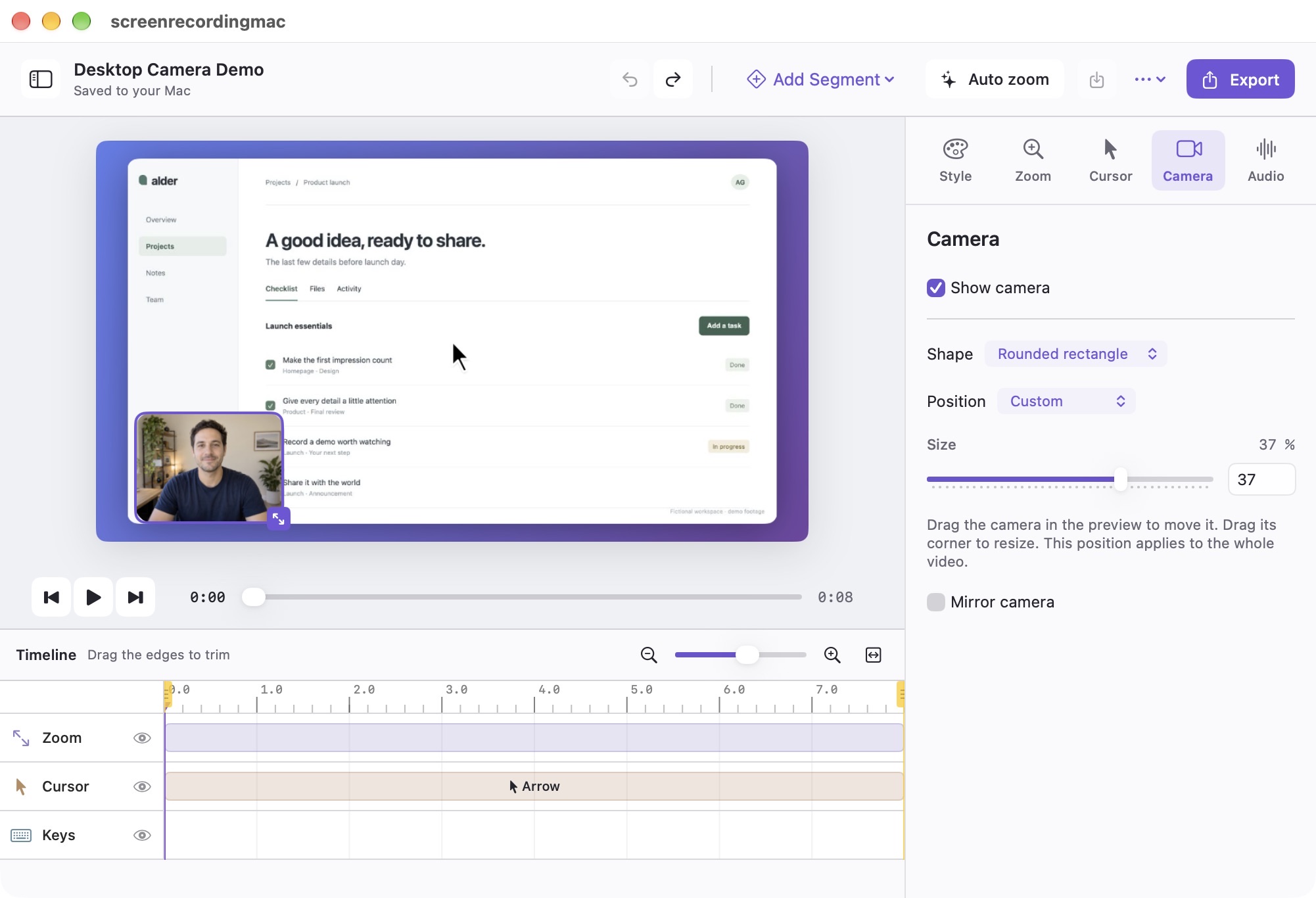
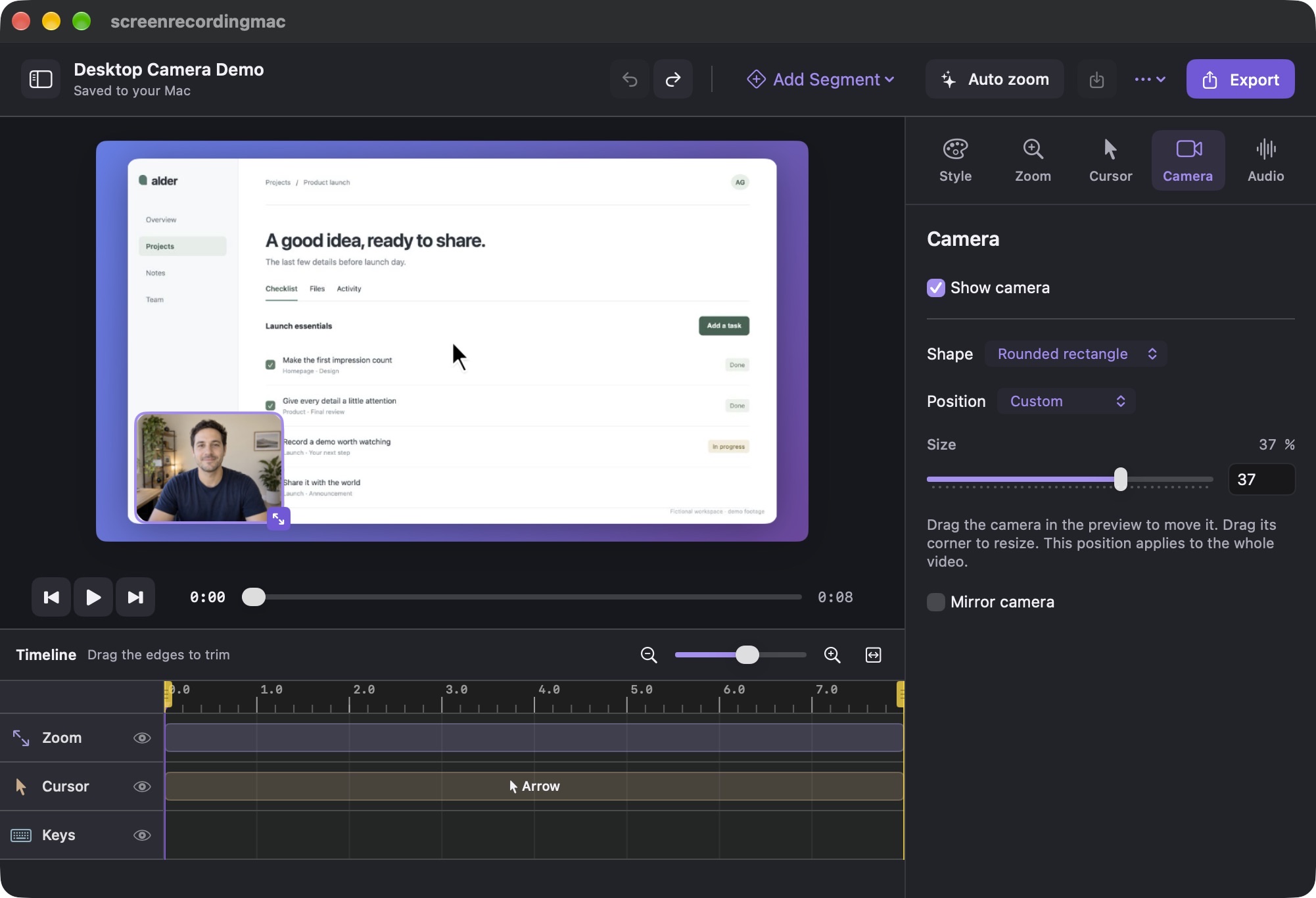
A camera window that fits.
Choose a corner, drag it into place or resize it on the canvas. One saved position keeps your desktop video consistent.
Your recording, dressed up.
Set a background, frame your screen and refine the cursor. Save your project and come back with your edits intact.
Think beyond
the desktop.
Turn a phone recording into a Reel. Import your clip, choose a vertical canvas and frame it to fit.
Recording your camera too? Give your explanation half the screen, with a clean top-and-bottom split made for portrait video.
Make your first vertical videoPortrait 50/50 layout · actual export
AI-generated presenter and narration
Made on your Mac.
Stays on your Mac.
Capture, edit and render locally. Save your source footage and editable projects wherever you like. Your recording doesn’t need a cloud upload to look good.
How we handle your dataYours to keep.
More to create.
Your next tutorial, product launch or “here’s how it works.” One app, without another subscription.
The app is in preview. This is our planned launch offer.
Lifetime license
$29USD, paid once
- All future versions of the Mac app
- Three personally owned Macs
- Seven-day full-feature trial
- Local recording, editing and export
No payment today. Get a launch update.
A few things
you might be wondering.
Is this a subscription?
No. The planned launch price is $29 USD paid once. It includes all future versions of the Mac app and use on three personally owned Macs.
When can I download it?
The app is in preview while we finish release testing. Request an email update to hear when the seven-day full-feature trial is available. We are not taking payments yet.
Which Macs does it support?
The app requires macOS 15 or later. Apple Silicon is our first release target. We will publish the final supported-device list with the public download.
Can I use a video I already recorded?
Yes. Import a local video from your Mac, including footage transferred from your phone. Set the framing, background and output size in the editor. Imported videos do not contain the cursor tracking captured by the app.
Can I make vertical Reels?
Yes. Choose a 9:16 canvas, fit or fill your footage, and export a vertical MP4. Portrait projects with camera footage can use a 50/50 top-and-bottom layout. Desktop projects use a movable camera window.
Does the app upload my recordings?
Recording, editing and rendering happen locally on your Mac. Your project files and source videos stay where you save them. License activation is separate from video processing.
Does it create AI presenters or voices?
No. The presenter and narration in our website examples were made separately for these demonstrations. The app edits and renders your own recordings and camera footage; it does not generate an AI presenter or voice.
Can I record my iPhone?
You can import a video recorded on your phone. The app also has a guided entry for recording an Apple iPhone Mirroring window on supported devices. Real paired-device capture is still being tested; it is not a replacement for Apple’s mirroring requirements.
A good place to start.
All guides
Your next demo
could look like this.
We’re putting the finishing touches on screenrecordingmac. Be there for the first public release.
Opens your email app with a message to Anil.